


Explore the Moody e-commerce case study. See how...
👀 1632 views
❤️ 362 likes
Too Long;
Didn't Read
35% less time on reports and 40% better pipeline visibility. See how one dashboard replaced three to five daily tools:
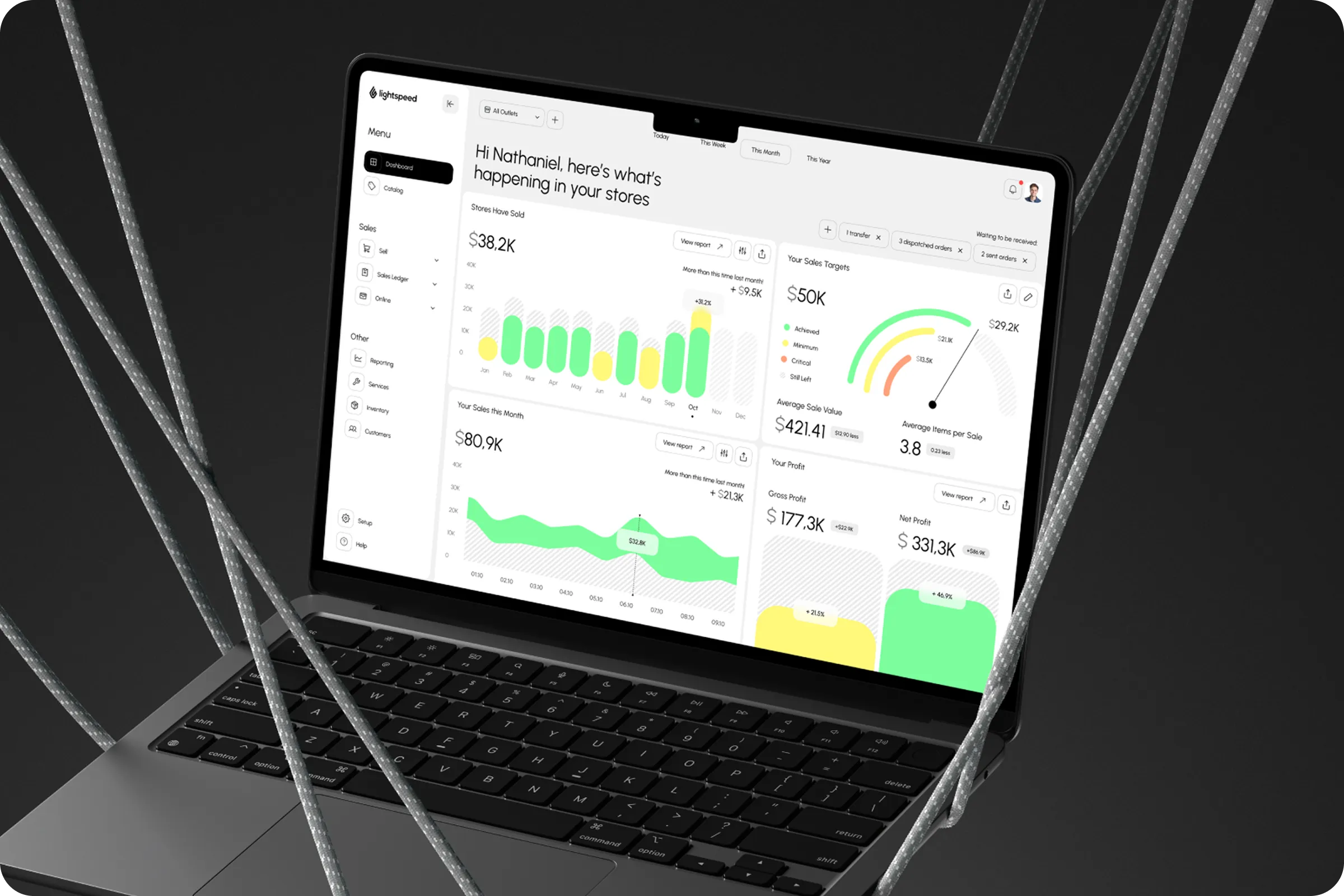
We need a modern CRM dashboard to monitor monthly sales targets and visualize profits in real time, helping our team make faster, informed decisions.

CIO at Lightspeed

Lightspeed CRM Sales Management Dashboard is a reporting tool that shows sales teams where they stand against their numbers. It brings visual reports, shared team targets, and monthly profit goals onto one screen. The product serves sales and customer relationship management crm work at enterprise scale, where managers review targets weekly and leadership signs off on profit every month. Before the redesign, that rhythm depended on exports, spreadsheets, and manual reconciliation. A single number could look different in three places, and nobody trusted the monthly review until finance confirmed it. Our brief was to replace that loop with a dashboard that answers three questions at a glance: are we on target, where is profit coming from, and what needs action today. Every layout decision followed those questions. Targets lead the screen, profit trends sit beside them, and exceptions surface where a manager can act without opening another report.
Industry
Sales, Enterprise
Category
CRM, Dashboard
Location
Denver, Colorado, USA

Sales teams ran targets and monthly profit reports across disconnected tools, each with its own version of the truth. Data arrived late, in different formats, and rarely matched.
The cost showed up in decisions. Managers waited on reconciled numbers before acting, and KPIs stayed blurry until the month was nearly over. Crm and sales management had drifted apart: the CRM held the contacts, while targets and profit lived somewhere else.
Limited Visibility
No central place held sales and profit data together. Monthly reviews turned into debates about whose figures were right, and planning slipped as a result.
Tool Fragmentation
Reps moved between systems to log activity, check targets, and pull reports. Every switch cost time and introduced errors, which is the core failure a crm sales management system has to remove.

The layout grew out of ux research: internal surveys with sales reps and managers, plus external benchmarking of the crm and sales management tools teams already relied on. The benchmark showed what those tools did well and where they left teams exporting data to finish the job.
62% - Tool Switching
Most users moved between three and five crm software and sales management tools every day just to complete routine work.
48% - Missed Targets
Nearly half of respondents said their teams struggled to track targets accurately and on time.
35% - Decision Boost
Users expected centralized monthly profit reporting to speed up decisions by up to 35%.

We built a unified dashboard around three priorities: visual clarity, short navigation paths, and metrics in one place. The result is crm sales management software that treats reporting as a daily habit, not a month-end task.
Monthly Report Automation
Visual monthly and profit reports refresh in real time. Nobody assembles them by hand anymore.
Centralized Sales Targets
A visual tracker shows individual and team goals side by side, with daily progress feedback against each.
Embedded Alerts and Actions
Exceptions appear on the same screen as the suggested next step, so a missed target and its fix sit together.
We stripped it down to what sales teams actually need.

UX Architect

After release, reporting time dropped and visibility improved across every team. The shift from spreadsheet reconciliation to a live shared view is a working digital transformation of the sales review cycle, and one of the more practical customer relationship management (crm) examples of reporting done in-product.
+40% Faster Lead Response Time
Consolidated notifications and quick-access lead profiles helped reps reach new leads sooner.
With targets, profit, and pipeline in one view, managers spend less time preparing reviews and more time acting on them. This is where crm software for sales management earns its place on the team.
+35% Less Time on Reports
Automated visual reports cut manual input and the reconciliation that came with it.
+40% Better Pipeline Visibility
Metrics in one view sharpened strategy and kept targets aligned across the team.

We look forward to integrating AI-powered insights and adaptive dashboards for better cross-device collaboration.
CIO at Lightspeed
Explore the Moody e-commerce case study. See how...
👀 1632 views
❤️ 362 likes
Explore the XSignal UX/UI case study. We transformed...
👀 1532 views
❤️ 378 likes
Organize athlete training, match data, and performance tracking....
👀 3173 views
❤️ 320 likes
Explore elegant accessories with Moda. Improve product discovery...
👀 3064 views
❤️ 307 likes
Shall we chat?
[email protected]Let’s

talk


