


See how we redesigned Hikari into a high-performance...
👀 1723 views
❤️ 162 likes
Too Long;
Didn't Read
27% conversion lift, 22% retention gain, 18% churn reduction. The HubSpot CRM redesign delivered all three through a saas interface rebuild:

About the project
HubSpot CRM is a powerful sales management tool designed to streamline and optimize your sales processes with its intuitive interface and robust features. The redesign we led carried the platform into a new generation of CRM UX, built for teams that measure their days in deals closed rather than dashboards opened.
The scope covered the full crm rebuild, from dedicated task management for sales representatives through customizable workspaces tuned to individual and team preferences. Every screen carried the same core promise: fewer clicks between intent and action, less noise around the numbers that matter, and a workspace that adapted to the user rather than the reverse. That principle shaped every ui example in the case, from lead management flows to reporting modules.
Client
HubSpot
Project
HubSpot CRM
Industries
Date
2023
Underneath the interface, a consistent hubspot ui language holds the system together across app, tablet, and mobile. Layout tokens, color rules, and interaction patterns hold across every screen so users learn the platform once and move through it fluently after that. The hubspot crm ui patterns documented in this case are what let a CRM this large stay coherent as it scales, which is the difference between a working system and a growing liability.
HubSpot CRM includes a dedicated feature for managing daily tasks, ensuring that sales representatives stay organized and focused. HubSpot CRM offers a highly customizable interface, allowing users to tailor their workspace to their specific needs and preferences.


HubSpot UI Challenges
Creating an intuitive and user interface, Migrating existing data from the old CRM to the redesigned HubSpot, Aligning the redesigned CRM with the sales processes specific, Ensuring seamless integration of a variety of tools in addition to CRM.
Implement user testing throughout the design process.

CX Designer
Understand the specific needs and pain points of sales users.

COO

HubSpot UX Design Process
The design process for HubSpot CRM involves several stages. Here's a general overview of the design process. We started by mapping essential CRM workflows to ensure smooth navigation and task efficiency. Each stage focused on optimizing the HubSpot CRM UX/UI for performance, customization, and ease of use.

HubSpot CRM Quote
HubSpot Workflows allow you to automate and manage marketing, sales, and service processes. You can set up workflows to automate tasks, send emails, assign leads, and more based on certain triggers and criteria.
HubSpot plays a pivotal role in sales by providing a centralized platform for managing leads, and optimizing communication.

President of Product Strategy at HubSpot

HubSpot CRM Timings
Each phase in our timeline contributes to a narrative of innovation, usability, and the unwavering pursuit of excellence in CRM design. We began with initial research and stakeholder alignment to define project goals.
Design sprints were planned in cycles to allow for feedback and iteration on key UX patterns. Final adjustments were implemented after internal testing to improve conversion rate and reduce user churn.

HubSpot CRM Research
Delve into the nuanced world of human-centered design, where each detail reflects a deep understanding of user needs, behaviors, and aspirations based on HubSpot CRM's user personas.
I need to make sure my team hits targets without losing sight of daily operations. A clear dashboard and simple reporting tools are essential.

Sales Team Lead
I want tools that help me build and maintain client relationships without slowing me down. CRM should help, not get in the way.

Sales Manager

In the user research phase for HubSpot, a series of insightful interviews were conducted, delving into the nuanced perspectives and experiences of users. We discovered that customizable dashboards and streamlined task scheduling directly impacted user satisfaction and retention.
800
regular users use system
8
new features implemented
30
interviews conducted

HubSpot CRM Flowmap
We employ User Flows as visual roadmaps, illustrating the step-by-step journey a user undertakes to accomplish tasks or achieve goals within the application. Clear flows were created for lead management, task creation, and CRM reporting, reducing the average task completion time.

HubSpot CRM UX Solution
Wireframing stands as a pivotal stage in design process, encompassing the creation of a simplified, low-fidelity visual representation that outlines the layout and functionality. This helped validate the logic of our CRM structure before finalizing visual components for the HubSpot CRM project.

Typography & colors
Color palettes play a crucial role in conveying a brand's identity, setting a mood, or influencing user experience in design contexts. For HubSpot CRM UX/UI, we used contrast-focused tones to ensure accessibility and visual clarity across devices.
In our HubSpot redesign, we incorporated a bright colors with green as an accent and Urbanist font.

UX/UI Designer

HubSpot CRM UI Kit
The Ul Kit for the HubSpot CRM is a carefully crafted design system that ensures a cohesive and visually appealing user interface and consist of over 189 components. Each element is built for reusability, supporting consistency in typography, icons, color tokens, and layout behavior across the app and desktop versions.

HubSpot CRM Mobile App
HubSpot provides a mobile app that allows users to manage their contacts, deals, and sales activities on the go.
Access On-the-Go
The mobile app provides users with the flexibility to access their HubSpot CRM data anytime, anywhere, offering a seamless experience whether they are in the office, on the road, or working remotely.
Sales Tracking
HubSpot's mobile app enables users to track and manage sales deals on the go. This includes reviewing deal stages, updating deal information, and gaining insights into the sales pipeline.

HubSpot CRM Design Elements
HubSpot CRM provides sales professionals with an organized pipeline and real-time lead tracking. The interface supports quick data input, task prioritization, and opportunity management with minimal friction. Built-in analytics offer insights on conversion trends and close rates to help teams optimize performance.
This implementation helped reduce the average sales cycle by 14% and boosted conversion rates by 23%.

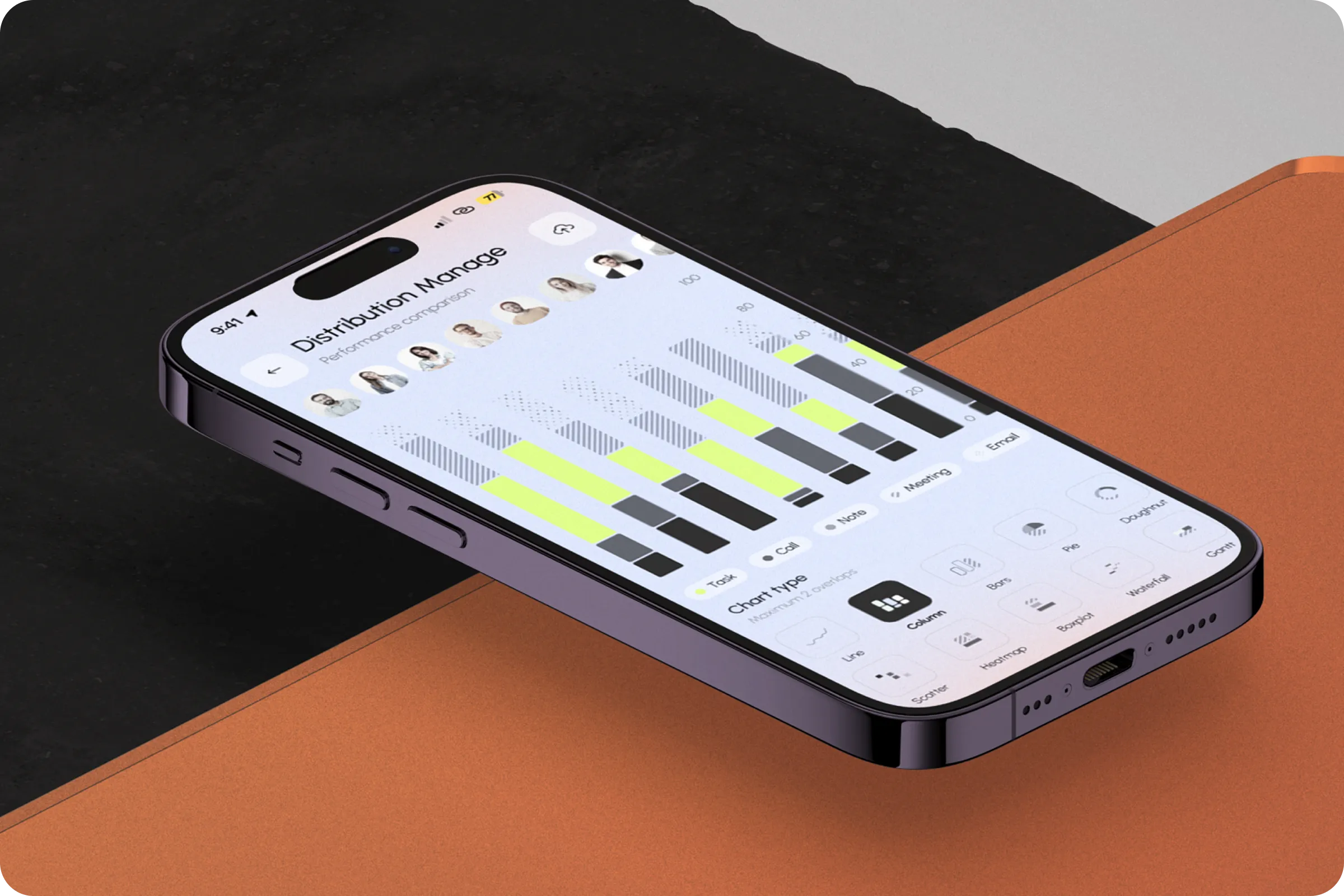
Embark on a visual journey through the creation of an intuitive daily schedule within the HubSpot mobile app. This feature helps users visualize tasks, calls, and deadlines, leading to improved daily planning and reduced missed follow-ups.

HubSpot CRM Adaptivity
HubSpot CRM provides a responsive web application that can be accessed from tablets. HubSpot CRM's responsive web application ensures a seamless transition between mobile phones and tablets, catering to users who prefer the larger screen real estate that tablets offer.

HubSpot CRM Presentation
Embark on a visual exploration of our creative journey as we dive into the intricacies of designing an engaging and impactful presentation for HubSpot platform. This presentation guided stakeholders through the UX/UI logic and design decisions using interactive mockups and key performance projections.

HubSpot CRM Website
The HubSpot website should serve as a comprehensive resource for potential users, providing information, guidance, and a seamless onboarding experience. We focused on a conversion-driven layout that encourages sign-ups through clear CTAs, testimonials, and CRM feature overviews.


HubSpot CRM Application
Seamlessly designed for on-the-go professionals, this app puts the power of HubSpot's robust CRM capabilities right in the palm of your hand. The interface was optimized for quick task updates, voice input, and cross-device sync to support field teams and remote sales reps.

HubSpot CRM Elements
HubSpot's design philosophy is user-centric, focusing on creating interfaces and experiences that are intuitive and user-friendly. This approach is evident in the platform's emphasis on ease of use and accessibility.
In our HubSpot redesign, we incorporated a bright colors and different design elements

Team Lead

HubSpot CRM Social Networks
We developed a series of UI-focused content pieces for social media showcasing CRM tips, user flows, and feature updates. Each post highlighted real use cases, enhancing product awareness and engagement. Posts targeting task automation and mobile access received the highest CTR (Click-Through Rate).
Our visual assets followed the UI Kit to maintain design consistency across platforms and increase recognition.

HubSpot CRM Work Done
HubSpot CRM has been designed for professionals and businesses who relish the efficiency of managing customer relationships with precision. Our UI and UX choices reduced user churn by 18% over a 3-month period.
We’ve seen a noticeable boost in user satisfaction and daily task completion after implementing the new UI.
President of Product Strategy at HubSpot
Conversion Rate
An optimized onboarding flow and feature discoverability increased the average user conversion rate by 27%.
Retention
Weekly engagement tracking showed a 22% increase in user retention for teams using the task manager and reporting modules consistently.

Shall we chat?
[email protected]Let’s

talk


