


Explore the XSignal UX/UI case study. We transformed...
👀 1532 views
❤️ 378 likes
We need a mobile app that connects seamlessly with portable printers, eliminates setup friction, and enables users to manage print tasks on the go. The goal is to provide a reliable and intuitive wireless printing experience.

CCO, Dual

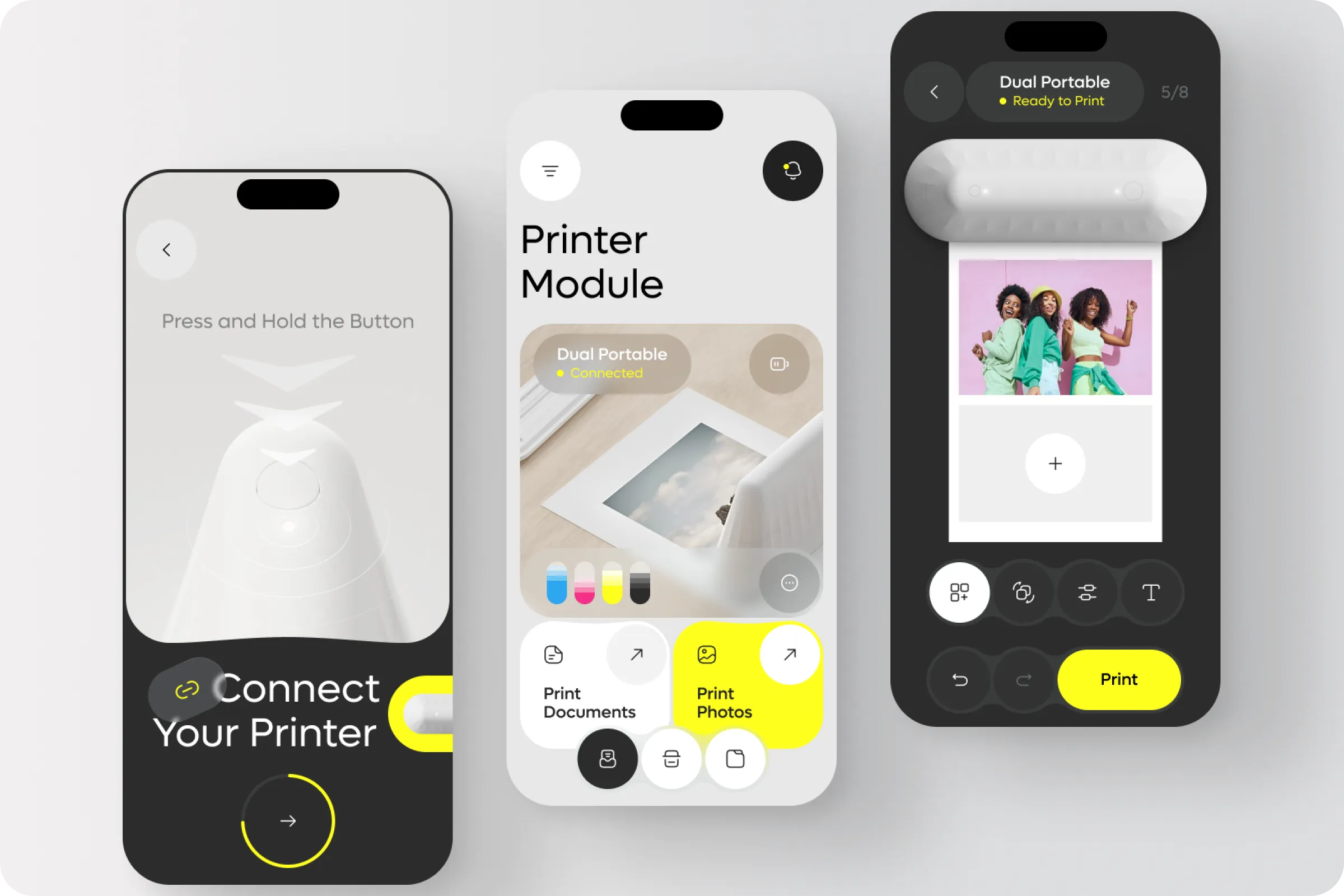
Dual - IoT Smart Portable Printer Mobile App helps users connect to wireless printers, manage documents, and print photos directly from their devices. The project focuses on mobility, speed, and simplified workflows.
Industry
Smart Home
Category
Mobile App
Location
Chicago, USA

Many mobile printing apps lack clear connectivity flows and force users through multiple steps. Managing files, choosing formats, and monitoring print status often lead to errors, wasted time, and frustration.
Connectivity Confusion
Users struggle to pair devices quickly, often repeating setup steps or facing unclear instructions.
Unclear Print Status
Lack of real-time feedback on printer readiness causes repeated attempts and wasted resources.

In the Dual - IoT Smart Portable Printer Mobile App ui / ux design process, we reviewed user feedback and usage metrics. Research highlighted issues with pairing speed, unclear task flows, and inefficient document handling.
61% Of users had setup delays
More than half struggled to connect their printer on the first attempt, causing frustration.
49% Dropped off during print preview
Nearly half stopped printing due to unclear options and missing confirmation previews.

We designed a streamlined Dual - IoT Smart Portable Printer Mobile App example, integrated photo/document preview, and added real-time printer status indicators. Clear navigation and modular controls improved task speed and reduced setup friction.
Seamless Pairing Flow
Users connect printers with a guided setup, reducing pairing time and minimizing failed attempts.
Unified Print Hub
Documents and photos are managed in one place, so users don’t need to switch between separate apps.

The Dual - IoT Smart Portable Printer Mobile App project improved user retention, reduced failed print attempts, and enhanced engagement through simplified task management. Users reported faster task completion and higher satisfaction.
-42% Setup time
Guided steps and a clearer pairing flow reduced connection errors and shortened setup process.
+37% Print completion rate
Improved preview and real-time feedback helped more users finish their print tasks successfully.

We look forward to extending this system into a desktop version for cross-platform use, so users can switch between devices while keeping the same simple experience.
CCO, Dual
Explore the XSignal UX/UI case study. We transformed...
👀 1532 views
❤️ 378 likes
Organize athlete training, match data, and performance tracking....
👀 3173 views
❤️ 320 likes
Activbody Activ5 - Universal Fitness Expander Mobile App...
👀 3474 views
❤️ 329 likes
SailMatch - Premium Yacht Booking Service Mobile App...
👀 3047 views
❤️ 336 likes
Shall we chat?
[email protected]Let’s

talk


