


Explore the XSignal UX/UI case study. We transformed...
👀 1532 views
❤️ 378 likes
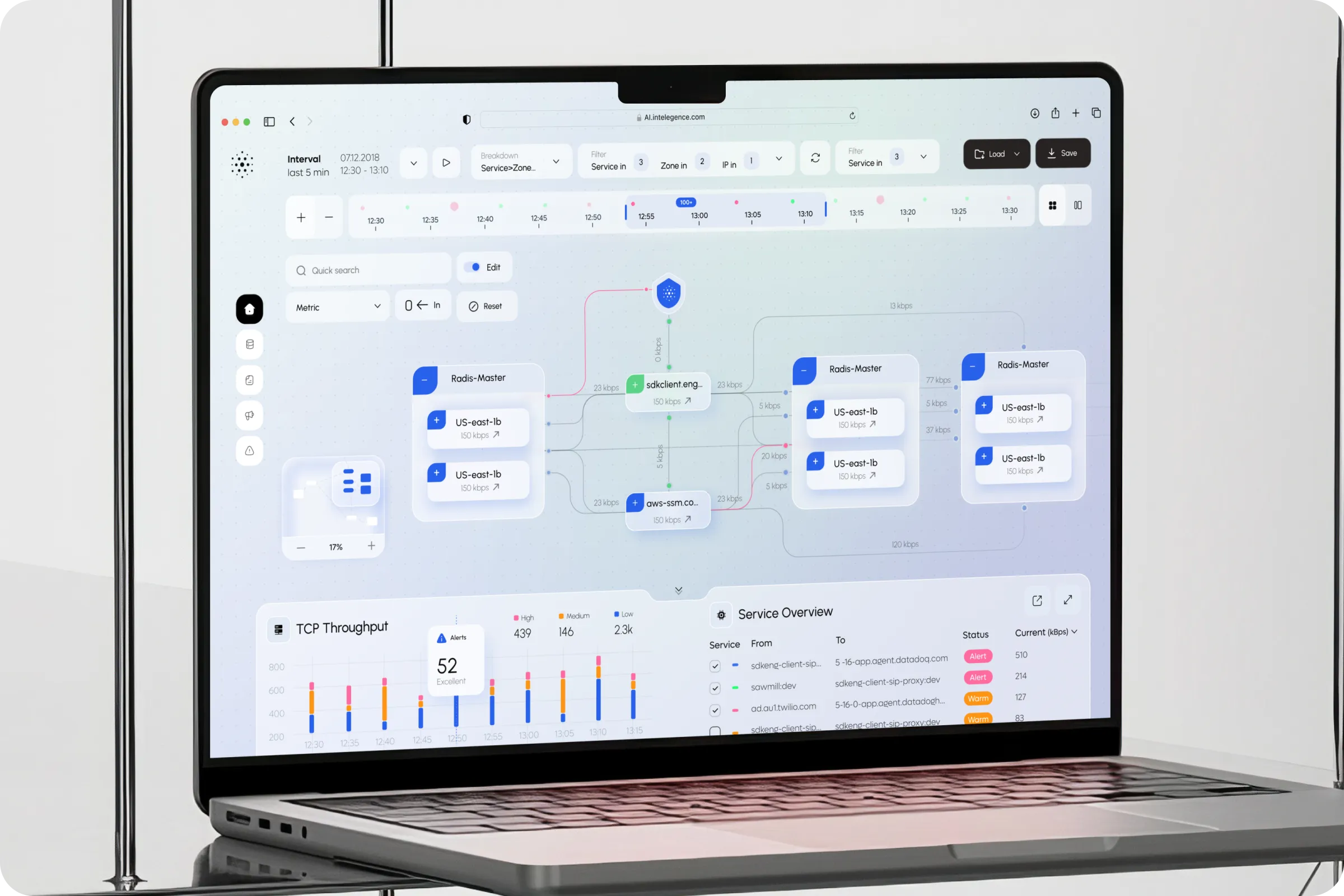
We aim to create a web dashboard that streamlines repetitive workflows and provides real-time system performance insights. Its purpose is to, foster team alignment, and enable smarter, data-driven decisions across services.

CTO, FlowTune

FlowTune - Optimizing Flow Processes Dashboard project helps businesses streamline daily operations. It automates repetitive tasks, tracks performance in real time, and supports better collaboration through an intuitive UI / UX design.
Industry
Management
Category
Dashboard, SaaS
Location
Los Angeles, California, USA

Many teams rely on scattered tools and manual processes, which slows down decision-making and makes performance tracking unreliable. Existing dashboards lack clarity, collaboration features, and automation.
Manual Workflow Overload
Teams spend excessive time updating statuses and transferring data across disconnected tools, reducing efficiency.
Poor Collaboration Flow
Scattered metrics and unclear ownership make alignment and coordinated decision-making difficult for teams.

We started with process mapping and user interviews to uncover inefficiencies in daily workflows. Our approach focused on simplifying metrics visualization, reducing manual steps, and designing scalable dashboards for complex teams.
We prioritized visibility and simplicity, ensuring the FlowTune feels practical and easy to navigate.

CX Designer

Our task was to design an adaptive dashboard that reduces friction in tracking performance. The FlowTune - Optimizing Flow Processes Dashboard example had to merge automation with simple navigation.
Enhance Visibility
Design dashboards that show throughput and alerts clearly, giving teams real-time monitoring at a glance.
Simplify Navigation
Offer structured workflows that let users access insights quickly and reduce time spent searching.
Support Collaboration
Build scalable views that allow multiple roles to work together efficiently across the system.

Research revealed that users often lose time on repetitive monitoring and lack a clear overview of processes. Our analysis focused on automation, centralized data access, and role-based dashboards.
54% Asked for role-based dashboards
Teams needed dashboards tailored to roles, improving clarity and efficiency in their daily workflow.
47% Struggled with scattered data
Disconnected tools made it hard to get insights quickly, slowing decisions and increasing frustration.

We introduced a centralized dashboard that combines live metrics, and team-oriented workflows. FlowTune - Optimizing Flow Processes Dashboard ui / ux Design supports role-based views, intuitive data visualization, automated alerts.
Interactive Metrics Map
Visualize service connections and throughput in one map, making complex relationships easy to track in real time.
Role-Based Views
Dashboards tailored per team role, showing only relevant data to reduce clutter and improve focus.
Real-Time Automation
Automatically trigger tasks based on system activity to minimize delays and streamline operations.

The FlowTune project increased process visibility and improved team collaboration. Users reported higher confidence in decisions and faster response to performance issues.
+41% Decision-making speed
Users made faster choices with clear real-time visual metrics that simplified tracking and response.
-22% Manual input time
Automated triggers cut redundant updates, reducing errors and freeing teams from repetitive manual work.

We see FlowTune as a scalable solution. For the next stage, we plan to expand with mobile dashboards and cross-platform access so teams can track workflows and performance anywhere.
CTO, FlowTune

Explore the XSignal UX/UI case study. We transformed...
👀 1532 views
❤️ 378 likes
Explore elegant accessories with Moda. Improve product discovery...
👀 3064 views
❤️ 307 likes
Locate containers, view condition reports, and manage rental...
👀 3144 views
❤️ 345 likes
The SailMatch - Yacht Personalized Searching Service Onboarding...
👀 3176 views
❤️ 343 likes
Shall we chat?
[email protected]Let’s

talk


