


Discover our UX/UI design for Levitate. We built...
👀 1742 views
❤️ 429 likes
We need a mobile app design that lets users scan their rooms with a smartphone camera and instantly recognize smart devices. The project should simplify smart home control and remove the need for multiple apps.

CCO, RoomVision

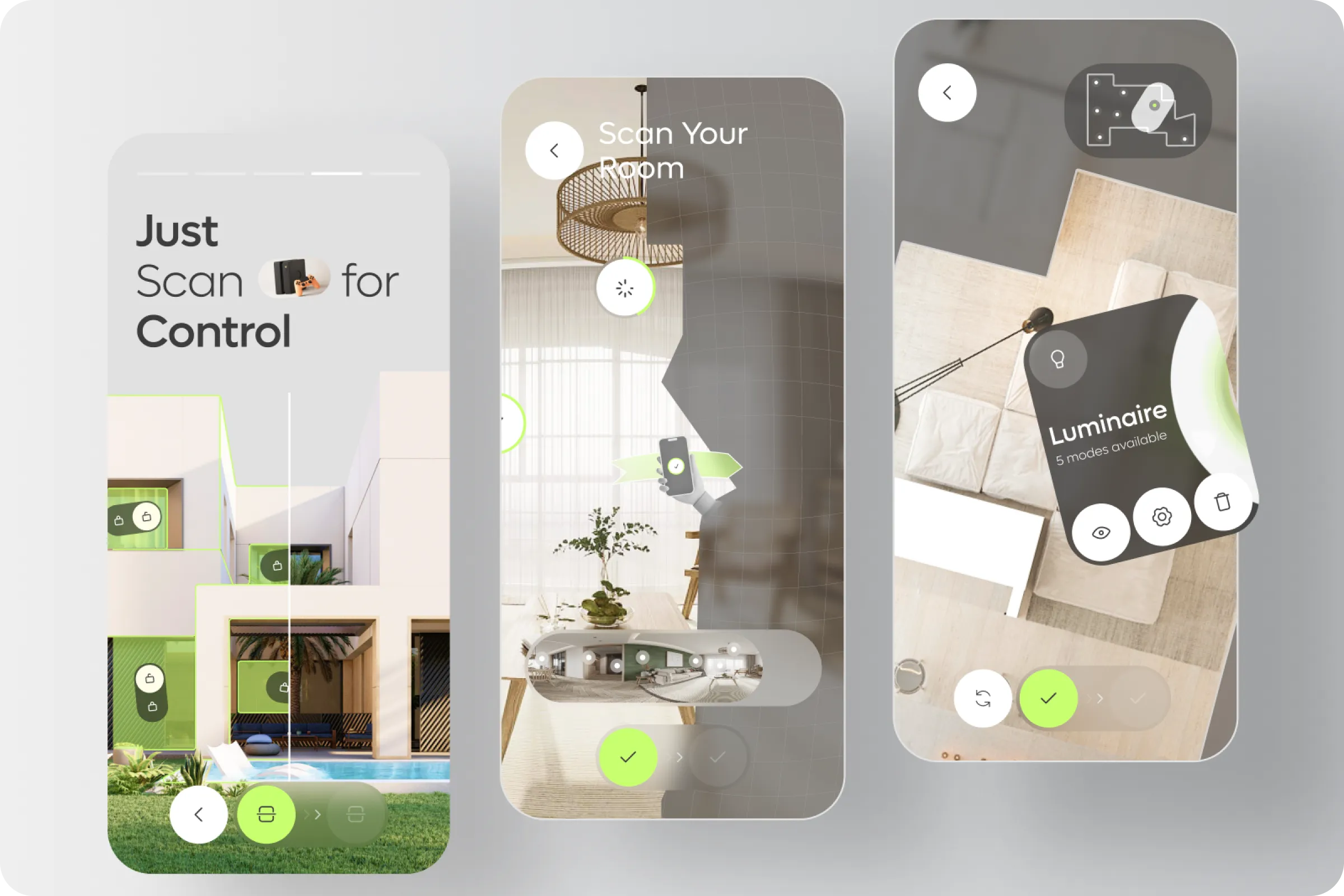
RoomVision - Smart Home Camera Scan Mobile App ui / ux helps users scan their room using AR, detect devices, and manage them directly. The project aimed to make smart home control intuitive, fast, and unified within a single platform.
Industry
Smart Home, IoT
Category
Mobile App
Location
Chicago, USA

Many smart home apps are fragmented, requiring separate logins, navigation, and switching between platforms. Users face inefficiency when trying to control lighting, temperature, and appliances in real time.
Fragmented Control Systems
Users need different apps for lighting, climate, and devices, making the process time-consuming.
High Learning Curve
New users struggle with technical interfaces that aren’t optimized for accessibility.

In the RoomVision - Smart Home Camera Scan Mobile App example, user interviews showed frustration with app-switching and lack of AR support. Analytics confirmed demand for a central hub that reduces complexity and makes control visual.
61% Prefer AR room scanning
Users reported AR scanning reduced confusion and made device location more intuitive.
49% Drop during setup
Half of the surveyed users abandoned smart apps during installation due to complex onboarding.

We designed a mobile app that uses camera scanning to detect devices and overlay AR controls. The design provides one-tap access to lighting, climate, and appliances. Clear UI, visual mapping, and unified flows reduce time loss and app fatigue.
AR Device Recognition
The app uses real-time camera scanning to identify smart devices in the room and overlay control options directly in AR view.
Contextual Controls
Users can access lighting, temperature, or appliance options right where the device appears, without navigating multiple menus.
Minimalist Visual Layer
We kept UI elements lightweight and unobtrusive, ensuring AR interactions remain clear and intuitive.
We focused on creating AR flows that feel natural, so users interact with their home visually rather than through endless menus.

CEO

The RoomVision - Smart Home Camera Scan Mobile App project improved smart device adoption and daily usability. Onboarding completion increased, users controlled more devices per session, and satisfaction scores showed measurable improvements.
+42% Higher user retention
Streamlined AR setup cut early churn, keeping more users active after first-time onboarding.
-33% App-switching time
A single interface lowered the need to swap between apps, making daily device control much faster.

We see potential in extending the system into multi-platform versions. Our next step will be integrating RoomVision with tablets and smart displays for broader accessibility.
CCO, RoomVision
Discover our UX/UI design for Levitate. We built...
👀 1742 views
❤️ 429 likes
Explore the Solvely AI UX/UI case study. We...
👀 1634 views
❤️ 378 likes
The SailMatch - Yacht Personalized Searching Service Onboarding...
👀 3176 views
❤️ 343 likes
Explore the XSignal UX/UI case study. We transformed...
👀 1532 views
❤️ 378 likes
Shall we chat?
[email protected]Let’s

talk


